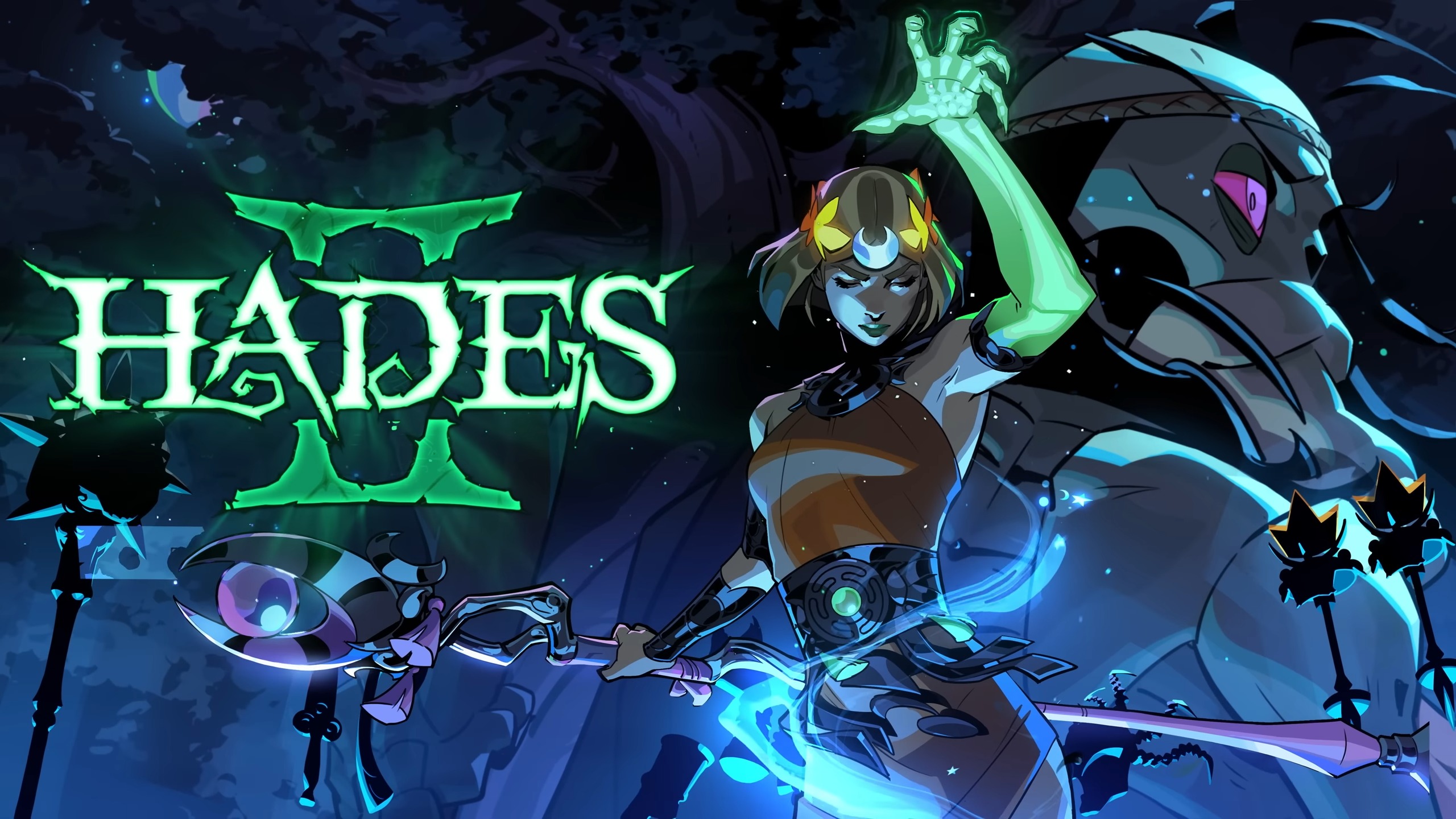
Dominate Hades 2 on Console: Best Controller Settings, 120 FPS Setup & OP Builds!
The wait is officially over. On April 14, 2026, Hades 2 breaks free from the PC realm and drops directly onto the PlayStation 5 and Xbox Series X/S, complete with a massive day-one launch on Xbox Game Pass.
For gamers preparing to dive into the Underworld, relying on outdated PC guides simply will not cut it. Slaying the Titan of Time requires a completely different strategy when swapping a mouse and keyboard for dual analog sticks.
From unlocking buttery-smooth 120 FPS performance modes to uncovering the ultimate custom controller layouts for both PlayStation and Xbox, this guide provides every technical secret required to build the most overpowered loadouts in the game. It is time to master the shadows, outmaneuver Chronos, and escape the Underworld!
⚡ Unlocking 120 FPS on PS5 and Xbox Series X
In a fast-paced roguelite, frames matter. Hades 2 is beautifully optimized to run at a native 4K Ultra HD resolution while delivering a blisteringly fast 120 frames per second (FPS) on current-generation hardware.
Playing at 120 FPS literally halves the input delay. When an enemy launches a massive Area of Effect (AoE) attack, having twice as many frames allows players to trigger invulnerability frames (i-frames) during a dash with pinpoint accuracy. Frame-perfect dodges become infinitely easier.
However, the 120 FPS mode does not activate by magic. Players must manually configure the console settings, ensuring the hardware is connected to a compatible 120Hz monitor or television using a high-bandwidth HDMI 2.1 cable.
PS5 120 FPS Configuration Steps
- Navigate to the PS5 Settings menu (the gear icon on the home screen).
- Scroll down to the Screen and Video tab.
- Select Video Output.
- Locate the 120 Hz Output option and switch it to Automatic.
- Return to the main Settings menu, select Saved Data and Game/App Settings, choose Game Presets, and lock the console into Performance Mode.
Xbox Series X/S 120 FPS Configuration Steps
- Press the Xbox button on the controller to open the Guide.
- Navigate to Profile & system, then select Settings.
- Under the General tab, select TV & display options.
- Under the Resolution tab, ensure it is set to 4K UHD.
- Locate the Refresh rate drop-down menu and change it from 60 Hz to 120 Hz.
🎮 The Ultimate Controller Layouts for Hades 2
The default controller settings in Hades 2 map the Attack, Special, Dash, and Cast abilities to the four primary face buttons. While this setup works for the first few runs, it creates a massive physical bottleneck during high-Fear endgame runs.
Why? Because human thumbs cannot be in two places at once. If the right thumb is mashing the face buttons to dodge and cast magic, it cannot be resting on the right analog stick to aim. This makes precise aiming of Magick-infused Omega Casts incredibly frustrating, as players end up shooting their spells in the wrong direction.
The solution is a custom remapping strategy. By moving movement and casting abilities to the shoulder buttons, players never have to take their thumbs off the analog sticks. Because the PlayStation and Xbox controllers have different ergonomic shapes and premium peripheral options, the optimal mappings are completely distinct.
🔵 Best PlayStation 5 Controller Mapping
The DualSense controller features incredible haptic feedback, but its symmetrical stick layout means reaching for the D-Pad or face buttons requires a full hand shift. The optimal setup moves the most critical survival mechanics to the top bumpers.
For players lucky enough to own a DualSense Edge pro controller, mapping the back buttons is an absolute game-changer.
| In-Game Action | Optimal PS5 DualSense Mapping | DualSense Edge Pro Mapping | Rationale for Change |
| Dash / Sprint | R1 | Right Back Paddle | Keeps the right thumb permanently on the aiming stick while dodging. |
| Cast / Omega Cast | L1 | Left Back Paddle | Allows players to drop AoE traps seamlessly while moving away from danger. |
| Attack | Square or R2 | Square or R2 | Moving Attack to R2 turns the game into a fluid twin-stick shooter. |
| Special | Triangle or L2 | Triangle or L2 | Easily accessible without interrupting movement. |
| Hex (Selene) | Circle | Circle | Rarely used enough to warrant a premium bumper slot. |
| Interact / Gift | Cross (X) | Cross (X) | Default is perfectly fine for non-combat actions. |
DualSense Hidden Features: Supergiant Games implemented amazing haptic feedback for the PS5. If a Selene Hex ability is not fully charged, the R2/L2 adaptive triggers will physically stiffen and block the player from pressing them! Furthermore, the controller emits a deep, rumbling purr whenever players stop to pet Cerberus in the hub world.
🟢 Best Xbox Series X/S Controller Mapping
The asymmetrical layout of the Xbox controller provides a naturally comfortable resting position for the left thumb, but the heavy right triggers can cause fatigue if spammed constantly.
For players utilizing the Xbox Elite Series 2 Controller, the Xbox Accessories app allows for incredible paddle customization, removing the need to alter the face buttons entirely.
| In-Game Action | Optimal Standard Xbox Mapping | Xbox Elite Series 2 Mapping | Rationale for Change |
| Dash / Sprint | RB | Right Lower Paddle | Spamming RB is faster than pulling the heavy RT trigger for split-second dodges. |
| Cast / Omega Cast | LB | Left Lower Paddle | Keeps the thumb free for aiming massive magic circles. |
| Attack | X or RT | X (Default) | Elite players can keep Attack on X, as the paddles handle all dodging. |
| Special | Y or LT | Y (Default) | Easy combo execution with X and Y. |
| Hex (Selene) | B | Right Upper Paddle | Instant access to ultimate abilities without dropping aim. |
| Interact / Gift | A | A | Default is perfect for talking to gods and picking up boons. |
⚙️ Analog Deadzone and Reticle Speed Secrets
Do not ignore the internal analog settings! Head into the Options > Gameplay menu to fine-tune the aiming mechanics for either console.
- Reticle Speed: The default is set to 1800. For gamers using fast ranged weapons like the Argent Skull or Umbral Flames, cranking this up allows the targeting cursor to snap across the screen much faster, mimicking the speed of a computer mouse.
- Deadzone: The deadzone determines how far the stick must be pushed before the character moves. Lowering the deadzone to around 10% to 15% makes movement feel incredibly crisp and responsive. However, dropping it below 5% may cause “stick drift,” causing Melinoë to walk into lava, so players must find the perfect balance for their specific controller.
🔥 Best Controller-Friendly Weapon Builds
While PC players excel with precision sniper builds, console players dominate with high-mobility, wide-cleaving weapons that take full advantage of the game’s auto-aim magnetism system. When the action gets chaotic, these two weapons guarantee victory.
1. The Moonstone Axe (Aspect of Melinoë)
For players who want to clear rooms without worrying about perfect aiming, the Moonstone Axe is the absolute ultimate destroyer. Its massive sweeping attacks cover a huge radius, meaning the controller’s auto-aim does not need to be precise at all.
- The Strategy: Mash the attack button to stagger enemies.
- Best Boons: Pair this heavy weapon with Hephaestus boons to trigger massive explosive blasts on every swing, or Demeter boons to freeze fast-moving enemies directly in their tracks.
2. The Sister Blades (Aspect of Artemis)
The Sister Blades offer the fastest, most aggressive gameplay in Hades 2. Because they require getting up close and personal, analog stick aiming is barely a factor. Players can simply point the stick toward the nearest enemy and let the auto-aim handle the rest.
- The Strategy: Utilize the Parry mechanic unique to the Aspect of Artemis to block incoming damage, then unleash a flurry of critical hits.
- Best Boons: Combine the blazing fast attack speed with Zeus chain-lightning boons or Aphrodite close-range damage buffs to melt boss health bars in seconds.
💾 Xbox Game Pass and Cross-Save Setup
With the massive day-one launch on Xbox Game Pass arriving on April 14, many veterans from the Early Access period are wondering how to bring their hard-earned PC progress over to the console. The answers depend entirely on which console ecosystem is being utilized.
The Xbox Play Anywhere Ecosystem
Hades 2 features full Xbox Play Anywhere support. This is incredible news for PC Game Pass and Microsoft Store players. It means that gamers playing on the PC Xbox App will automatically have their saves synced directly to their Xbox Series X/S console via the cloud. Boot up the console, and all previously unlocked weapons, Arcana cards, and resources will be waiting.
The Nintendo Switch and Steam Link
For players migrating from Steam or the Epic Games Store to the Nintendo Switch, the process is incredibly simple. From the Switch’s main menu, players can select the Cross-Saves option. This generates a QR code or web prompt to log into a Steam or Epic account. Once linked, the game will automatically sync the save files upon boot-up!
The PlayStation 5 Limitation
PlayStation 5 players must prepare for a fresh start. Due to strict infrastructural limitations historically set by Sony, direct cross-save functionality between PlayStation 5 and PC platforms is not supported. Gamers diving into the PS5 version will get to experience the thrill of unlocking the Underworld’s secrets from the very beginning.
♨️ The April 14 Bonus Content Update
The console release is not just a direct port; it comes attached to a massive new update deploying across all platforms simultaneously. Supergiant Games has confirmed the patch includes significant quality-of-life improvements and brand-new bonus content.
Eagle-eyed fans analyzing the console launch trailer spotted a massive new interaction: the legendary hero Heracles relaxing in the Crossroads hot springs! The hot springs serve as a vital hub for deepening relationships with the game’s mythological cast. The addition of Heracles to this steamy location promises brand-new dialogue, lore expansions, and potential relationship-building mechanics for players to uncover the moment the update drops.
Slaying Chronos is incredibly tough, but with 120 FPS enabled, perfectly mapped shoulder bumpers, and a brutal Moonstone Axe build, the Titan of Time stands no chance. Death to Chronos!
❓ Frequently Asked Questions (FAQ)
1. Can Hades 2 run at 120 FPS on PS5 and Xbox Series X?
Absolutely! Hades 2 is flawlessly optimized to run at native 4K resolution and 120 FPS on both the PlayStation 5 and Xbox Series X. Players must ensure their console is connected to a compatible 120Hz display using a high-speed HDMI 2.1 cable, and that the 120Hz output settings are manually enabled in the console’s main operating system menus.
2. What are the absolute best controller settings for Hades 2?
To maximize movement and aiming simultaneously, players should utilize a “Bumper Jumper” button layout. Moving “Dash” to R1 (PS5) or RB (Xbox) and moving “Cast” to L1 or LB allows the player to keep their thumbs firmly planted on the analog sticks at all times. Setting the analog deadzone to roughly 10% to 15% also ensures crisp, responsive movement without experiencing stick drift.
3. Does Hades 2 have cross-save on PS5 and Xbox?
Hades 2 fully supports “Xbox Play Anywhere,” meaning progression transfers seamlessly and automatically between Xbox consoles and the PC Microsoft Store. Cross-save is also available between PC (Steam/Epic) and the Nintendo Switch via an in-game linking menu. However, cross-save functionality is not supported between the PlayStation 5 and PC platforms due to network infrastructure constraints.
4. Which Xbox Game Pass tiers include Hades 2?
Hades 2 officially joins the Xbox Game Pass library on day one of its console launch (April 14, 2026). It is available across the highest subscription tiers, specifically Game Pass Ultimate, Game Pass Premium, and PC Game Pass. It is playable via cloud streaming, PC, and Xbox Series X/S consoles.
5. What are the DualSense PS5 controller features in Hades 2?
The PlayStation 5 version heavily utilizes the DualSense controller’s adaptive triggers and haptic feedback. The triggers will physically stiffen to block inputs if a Selene Hex ability is not fully charged with Magick. Additionally, the controller provides unique dynamic resistance during the “calming shades” minigame to signal when buttons should be released, and rumbles heavily when petting Cerberus!
Written by Rahul
A dedicated lore-diver and meta-analyst who breaks down everything from indie visual novels to high-tier esports. Follow him on X/Twitter for daily gaming intel.
COMMENTS
NO TRANSMISSIONS YET. BE THE FIRST TO DROP INTEL.